テーブルクリエーター
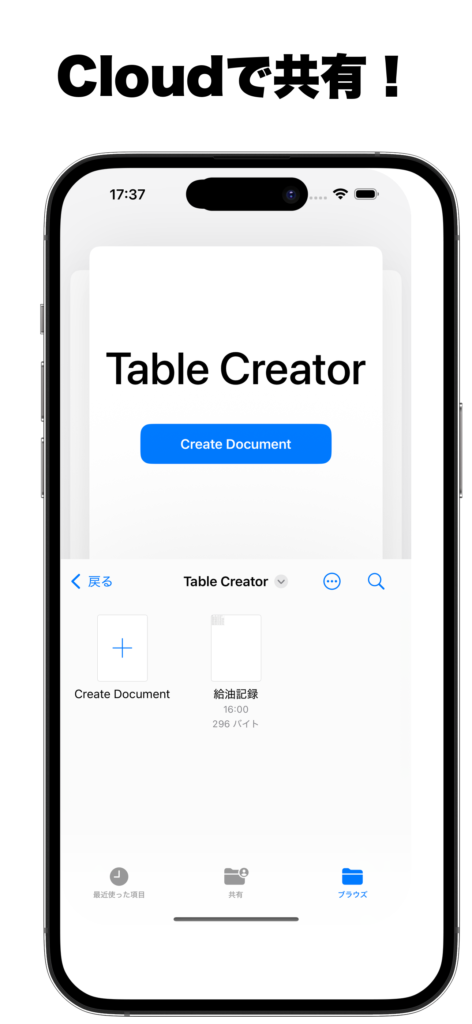
テーブルクリエーターはCSVファイルを読み込み、カメラや画像からスキャンした文字をテーブルに追加するアプリケーションです。
紙ベースの部品・発注書などのデータベース化や、基盤に記載されたバージョン情報などの読み取りに活用できます。
給油記録や社有車のオドメーター情報なども、カメラで撮影するだけでデータ化可能です。
AIによる文字認識は端末の言語設定に最適化されており、高精度での抽出を実現します。
テーブル表示モード
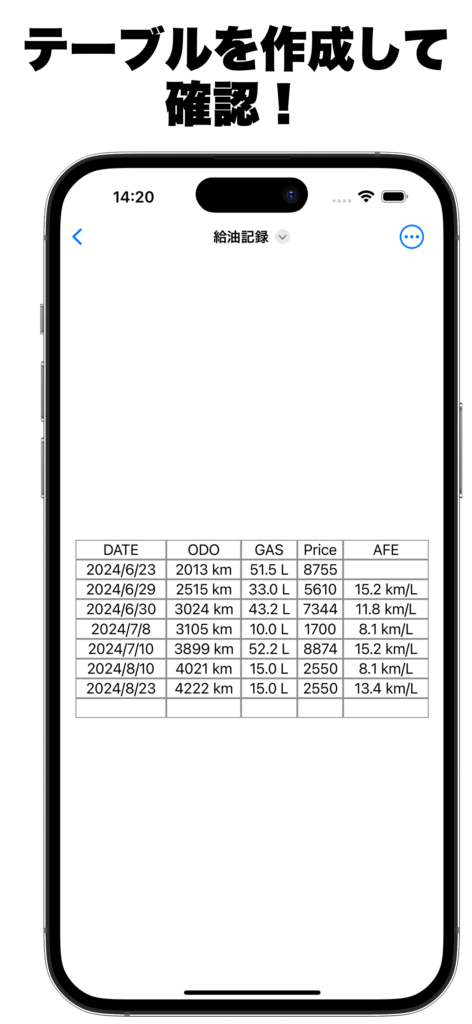
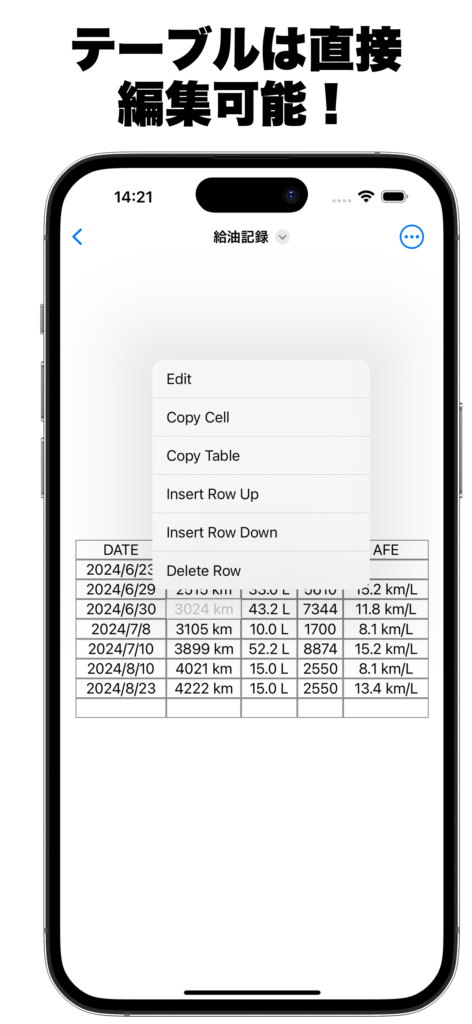
CSVファイルを開いて表形式で確認・編集できるメイン画面です。セルをタップして内容を確認し、長押しで操作メニューを表示します。iCloud を使って Mac や iPad と CSV を共有できます。
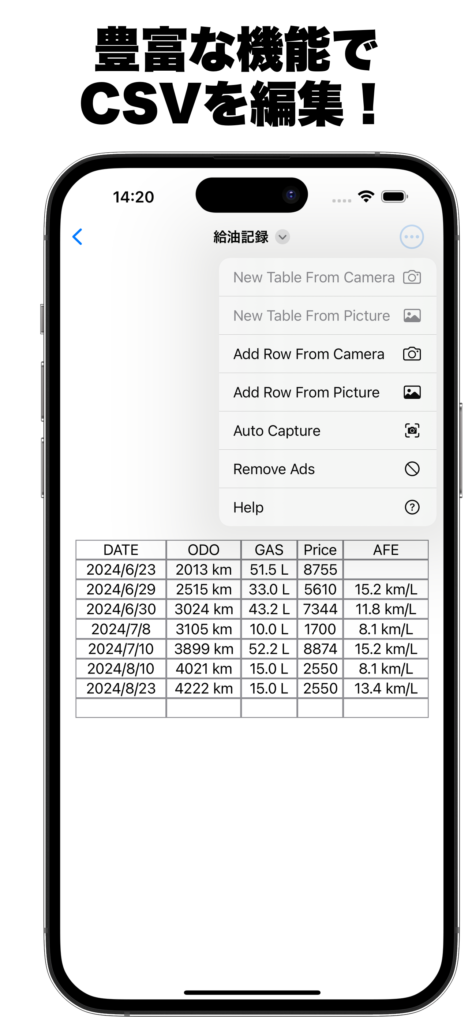
右上のメニューからカメラや写真を選択し、「テーブル追加モード」や「テーブル作成モード」へ切り替えることができます。
右上メニュー(…)でできること
セル長押しメニュー
テーブル追加モード
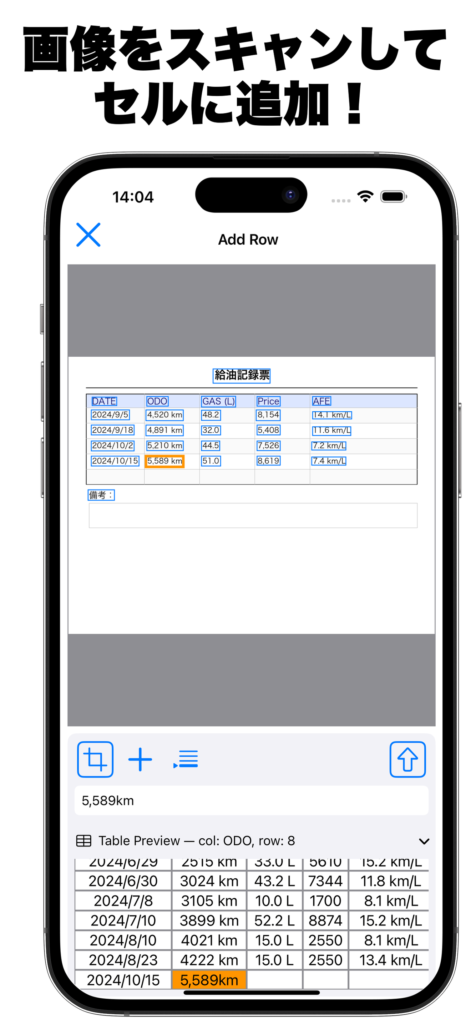
既存のテーブルにスキャンした文字を追加するモードです。表示された画像から必要な文字をスキャンして各セルに追加します。
- 追加セル選択:列と行を指定し、該当セルに文字を追加
- クローズボタン:表示モードに戻る
- スキャンボタン:画像の文字解析を開始
- 選択文字表示:選択された文字列を編集・確認
- 文字連結モード:複数の文字を連続して追加
- 文字追加ボタン:選択文字をセルに追加
テーブル作成モード
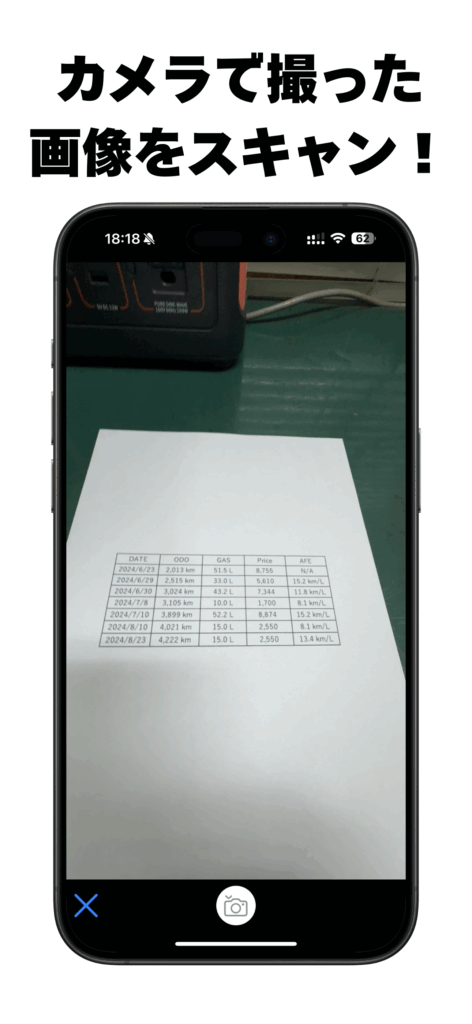
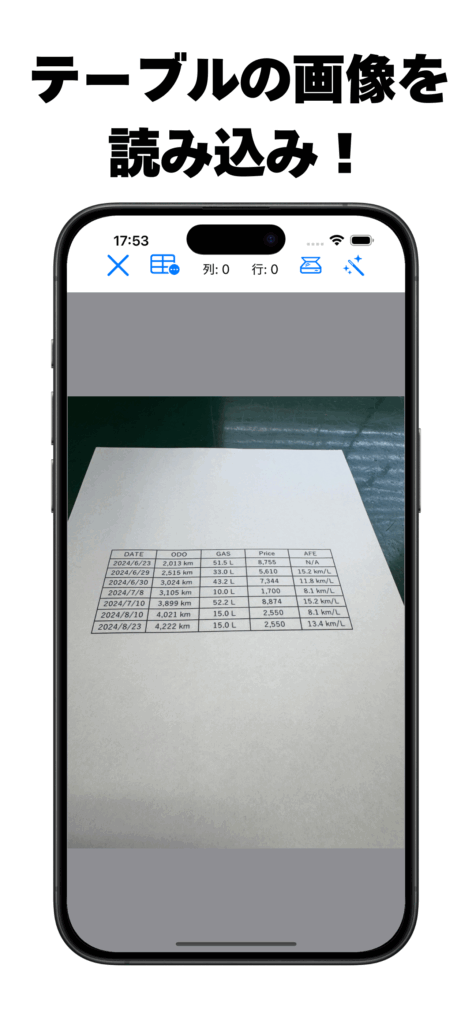
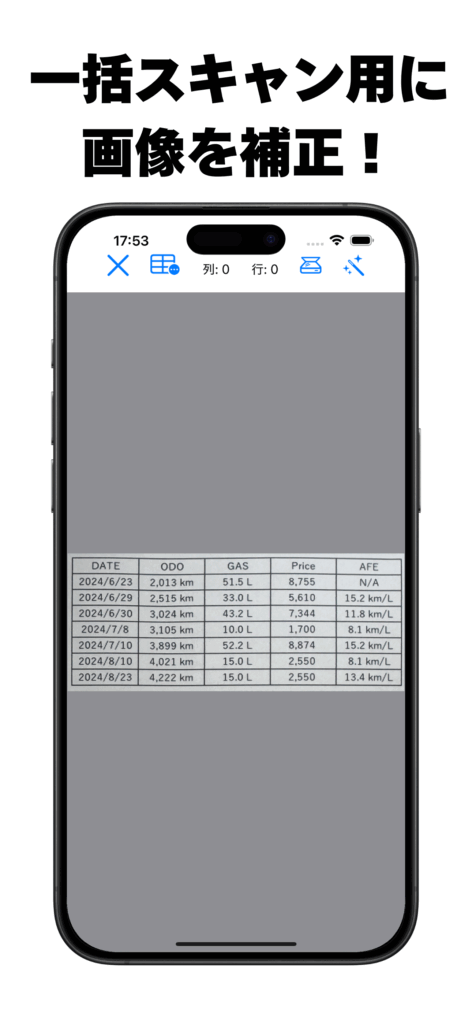
新しいCSVファイルに対して表を認識・抽出するモードです。画像内の外枠テーブルを検出し、自動的に文字を解析してCSVとして保存します。
アイコン一覧
Auto Capture(自動読取・追記)[v2.2.0 新機能]
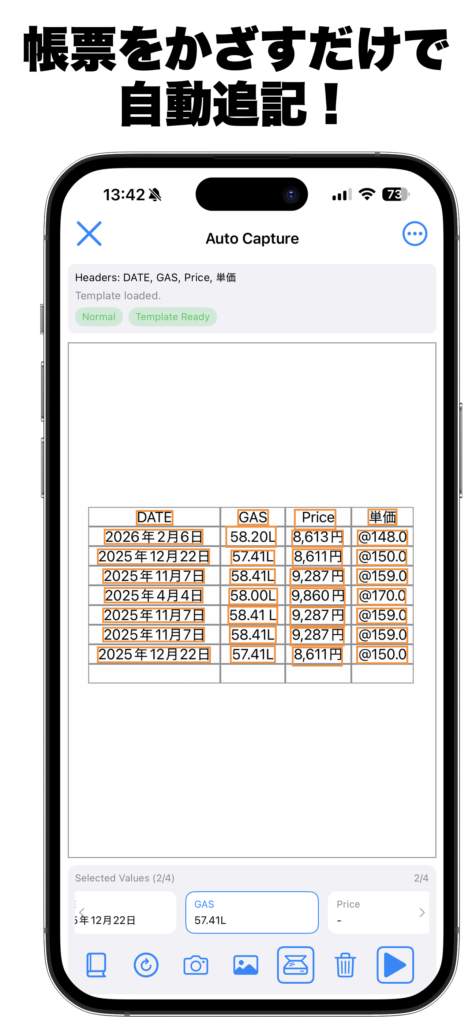
帳票(紙)をカメラで読み取り、CSVテーブルに自動で1行追記します。初回利用時は3回の学習サンプル収集が必要です。学習後は撮影するだけで自動追記できます。テンプレートはJSONファイルで書き出して他の端末と共有することも可能です。
操作バー アイコン一覧
- 学習モード開始(3回の撮影サンプルでテンプレートを作成)
- 再学習(One-shot Relearn):現在の確認値を既存テンプレートにマージ
- カメラを起動して撮影
- フォトライブラリから画像を選択
- 表示範囲をOCRスキャン
- OCR選択・確認値をクリア
- 学習サンプルを送信 / One-shot Relearn のマージを実行
- Auto Capture実行(自動読取・追記)
右上メニュー(…)でできること
共有機能と広告非表示(課金機能)
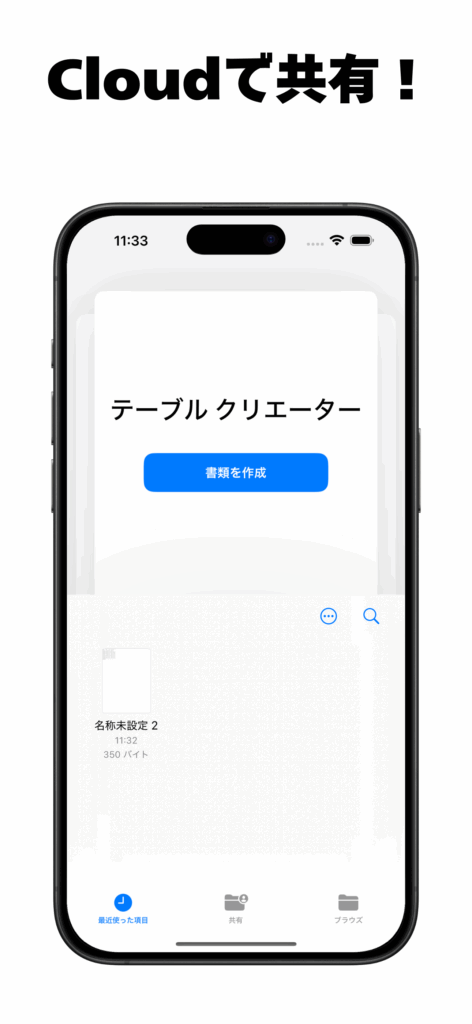
作成したCSVはiCloudで共有可能です。MacやiPadなど他の端末からCSVをエクセル等に貼り付けてデータ操作も可能です。
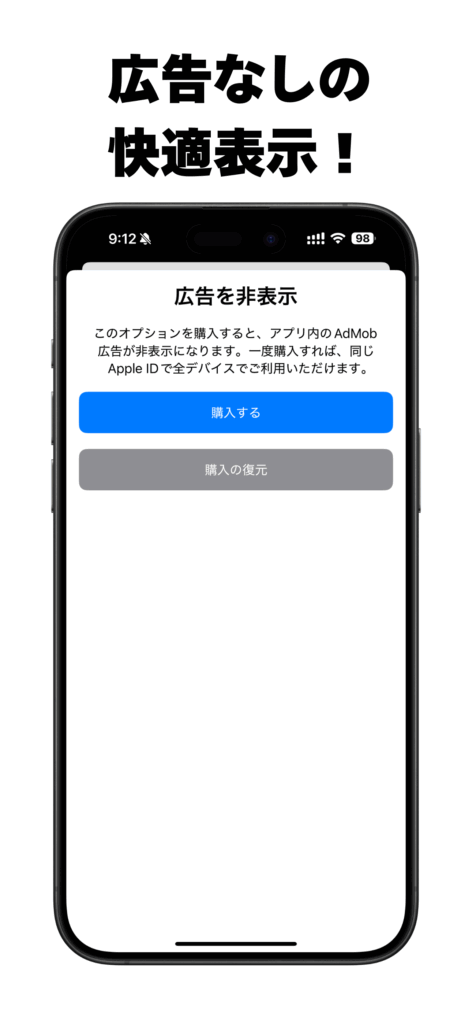
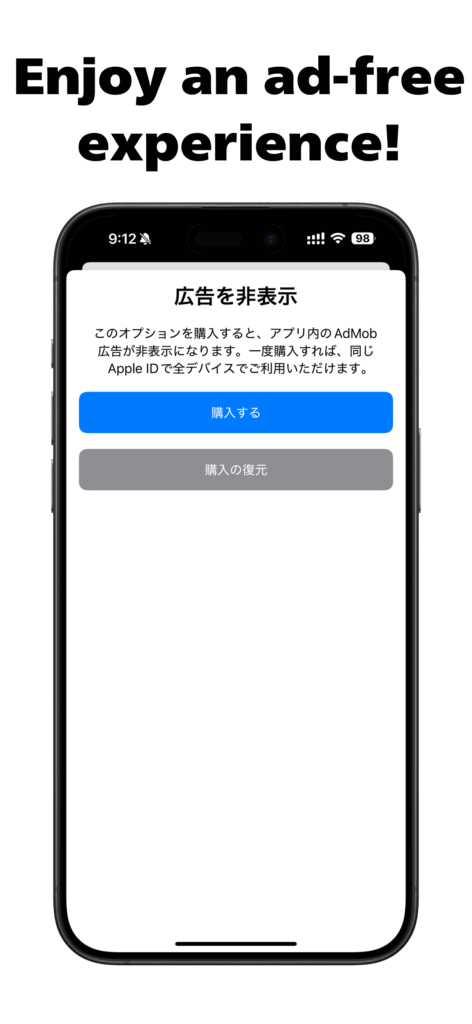
一度のご購入で、アプリ内のすべての広告を永久に非表示にできます。集中して作業したい方、開発を応援してくださる方におすすめです。
プライバシーポリシー
- 収集する情報:利用履歴、端末情報
- 利用目的:アプリ提供・改善、お問い合わせ対応
- 情報共有:法令に基づく場合を除き第三者提供なし
- 情報保護:不正アクセス・漏洩対策を実施
- ポリシー変更:変更時はアプリ内やサイトで告知
- お問い合わせ:こちらまで
今すぐアプリをダウンロード!

Table Creator
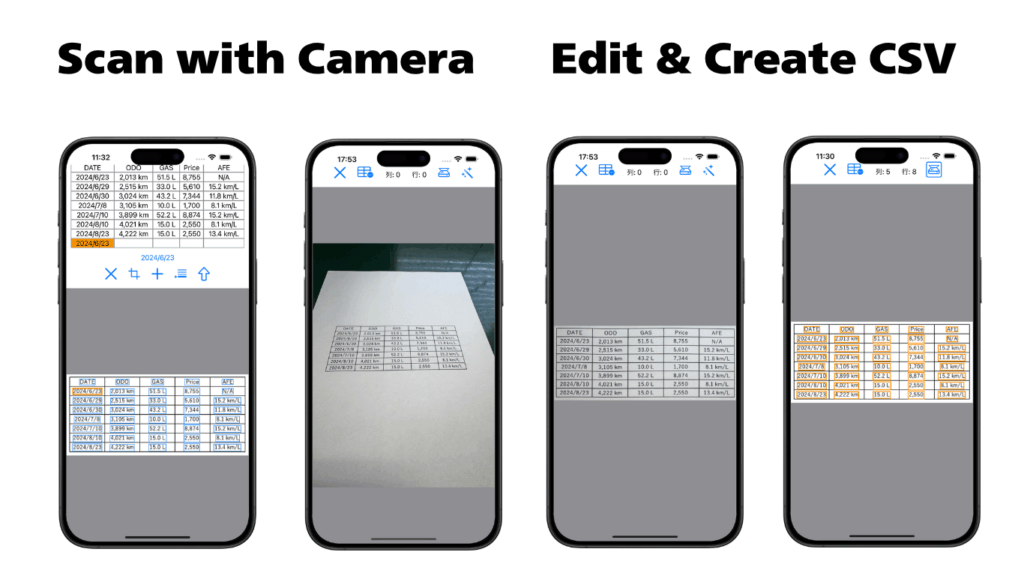
Table Creator is an application that reads CSV files and adds text scanned from a camera or image to a table.
It can be used to digitize paper-based part lists or purchase orders, or to read version information written on hardware.
Odometer info and gas logs from company vehicles can also be captured and saved using your camera.
AI-powered OCR adapts to the system language for best accuracy.
Table View Mode
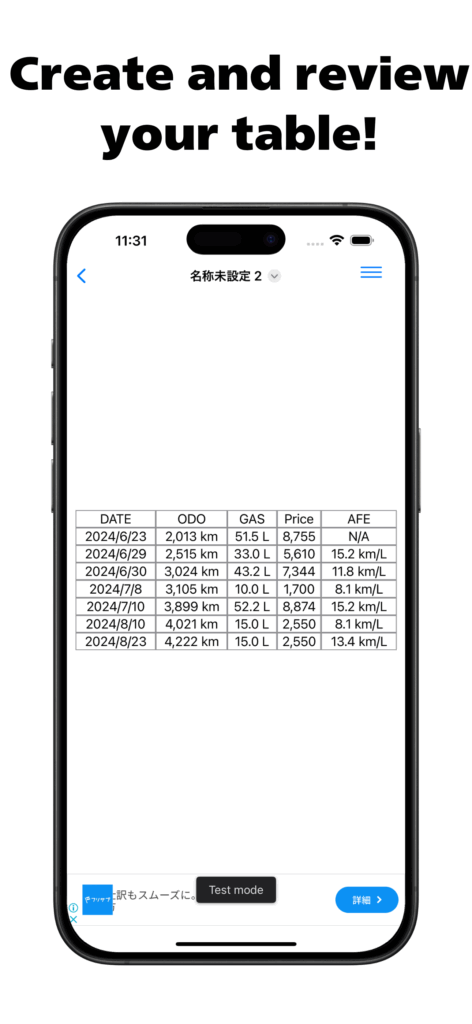
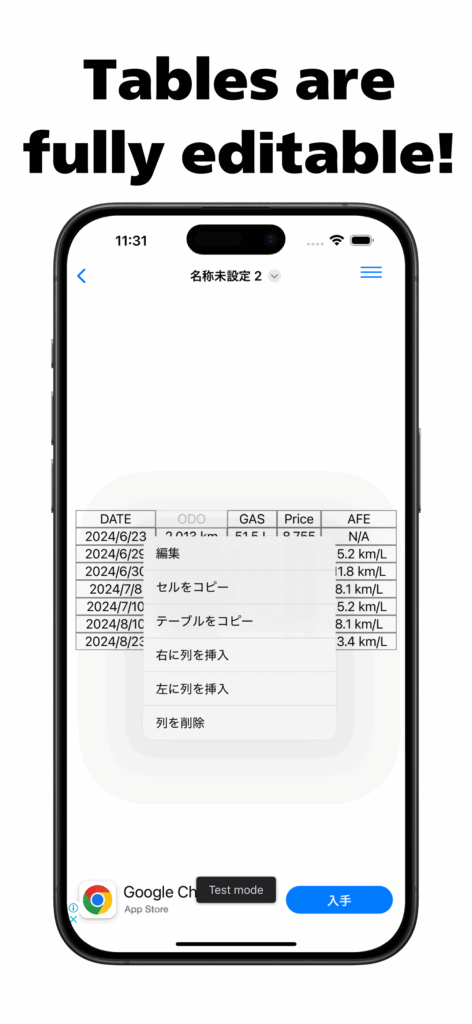
The main screen showing your CSV file as a table. Tap a cell to view its content. Long-press a cell to access editing and insertion options. Share CSV files between your iPhone, iPad, and Mac via iCloud.
You can switch to other modes like “Append Table” or “Create Table” by using the menu in the top right.
Table Append Mode
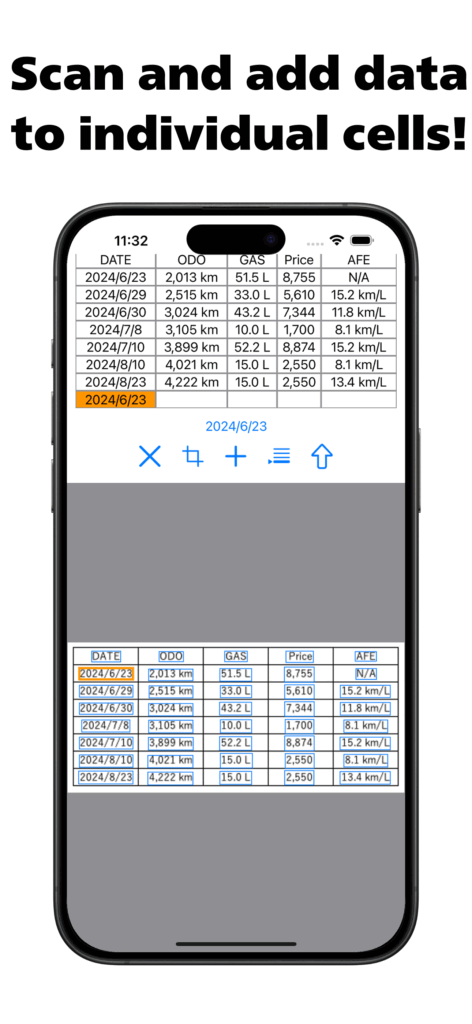
Add scanned text to an existing table. Select a target cell and scan text from the image to insert it into that cell.
- Select Cell: Choose where to insert text (row/column)
- Dismiss: Return to Table View
- Scan Button: Run text recognition on current image
- Text Display: Preview and edit the selected string
- Concatenate: Append multiple strings if needed
- Add Text: Finalize and insert to selected cell
Table Creation Mode
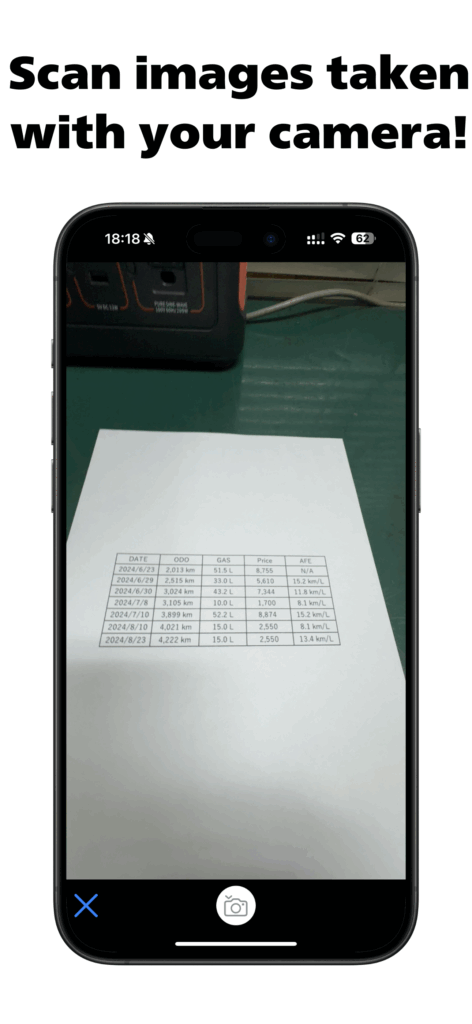
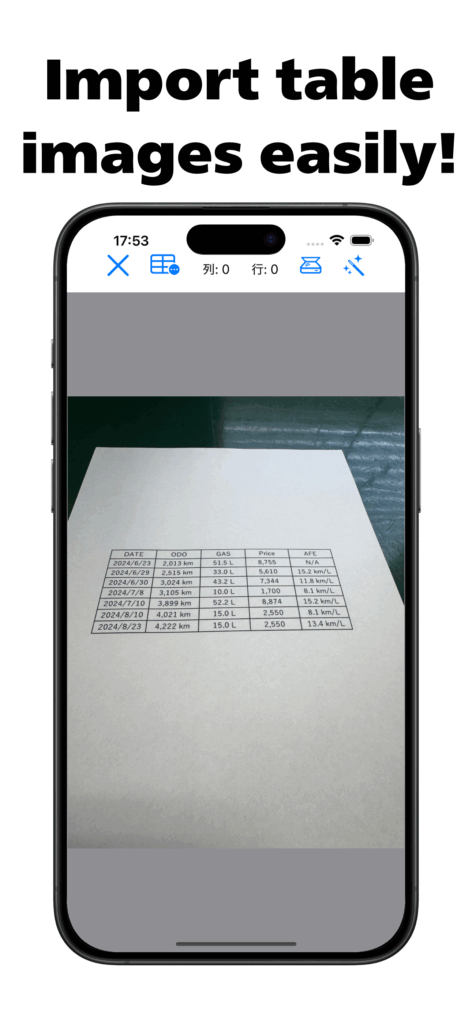
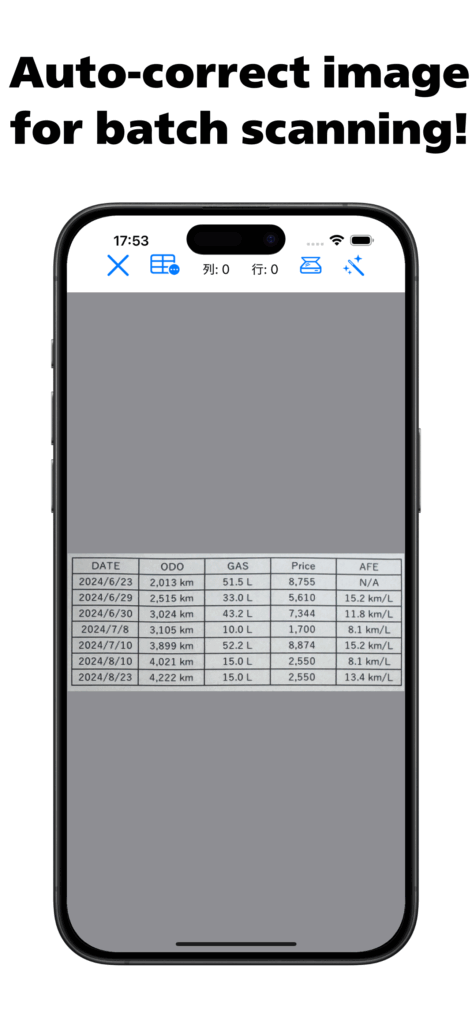
Recognizes a table from an image and creates a CSV. Works with new files only. Detects borders and parses enclosed text.
Cloud Sharing and Ad-Free (Premium)
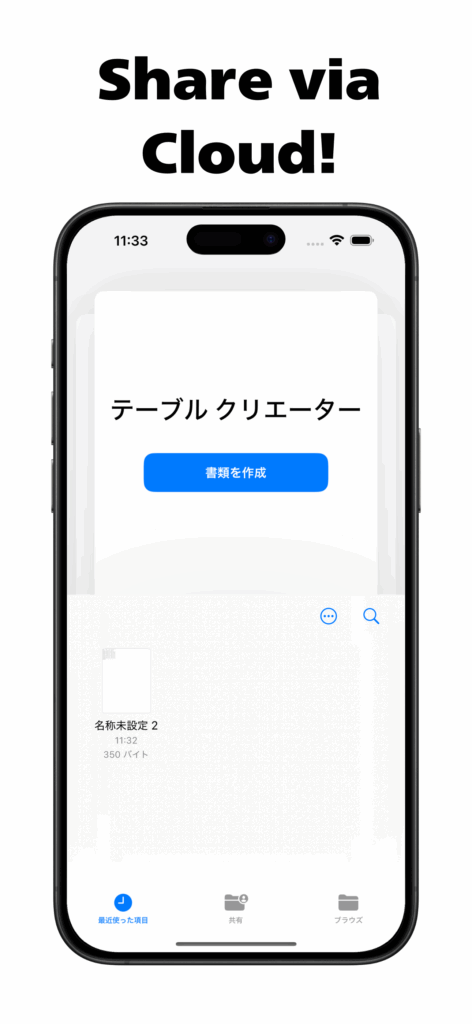
You can share your CSV files via iCloud. This allows you to access your data on other devices, such as a Mac or iPad, and easily paste it into applications like Excel for further editing.
Remove all in-app ads forever with a single, one-time purchase. This is recommended for those who want to work without distractions and for anyone who would like to support the developer.
Privacy Policy
- Data Collected: Usage logs, device information
- Purpose: Improve service, respond to inquiries
- Sharing: No 3rd party disclosure without legal basis
- Security: We take steps to prevent leaks or misuse
- Updates: We notify users of any policy changes
- Contact: here
Download the App Now!